
Feature-level flow map
Screens, APIs, data and call relationships, organized by feature.
Why Donevio
But is it actually built right?
Click around and everything seems to work. What happens behind the screen is hard to judge unless you’re an experienced engineer. Donevio reads the code for you and explains it in plain language.
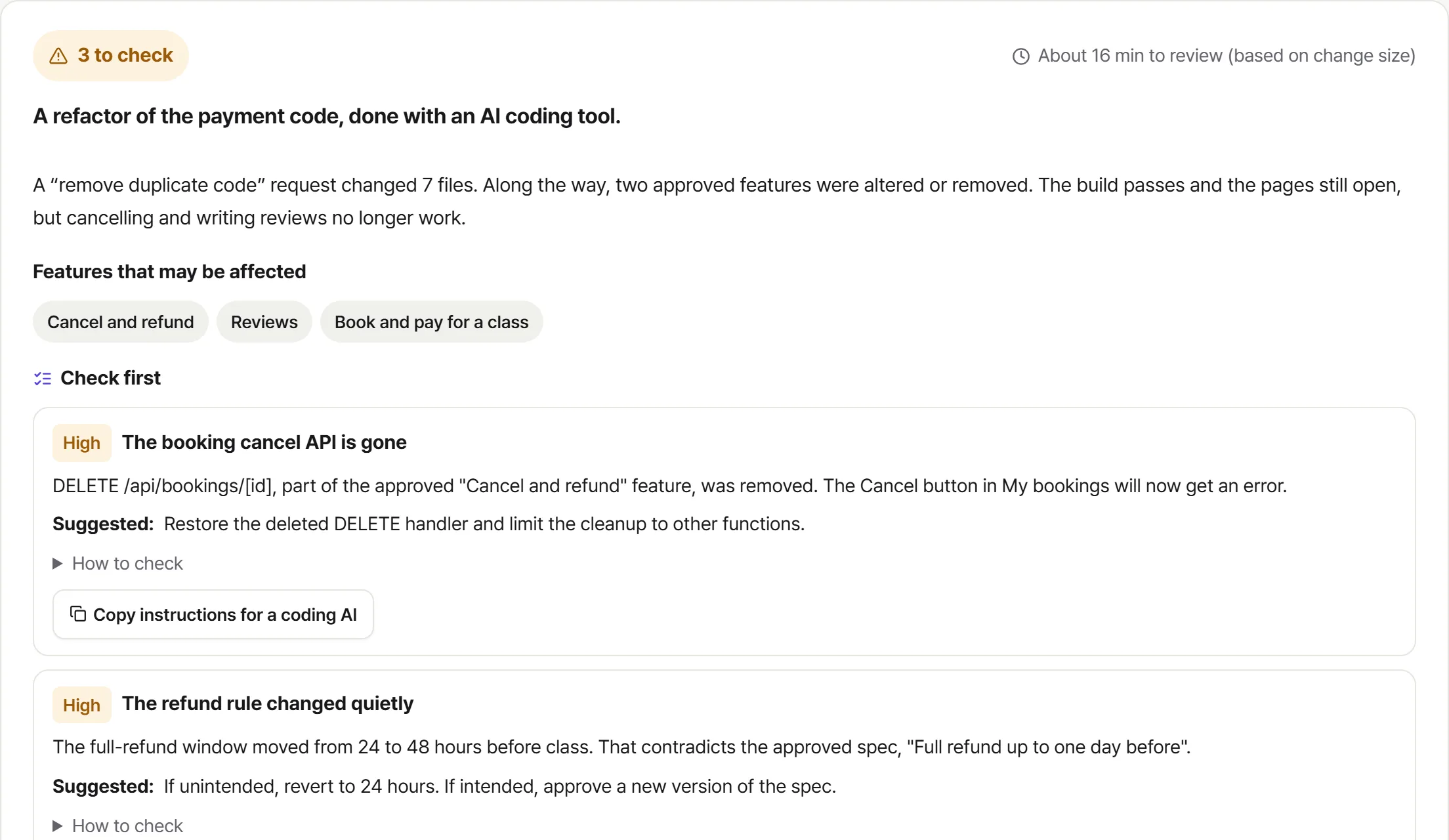
What you can’t see
Even if a page needs a login, anyone who knows the API address it calls can send requests to it directly. You’d never notice by clicking around yourself.
Donevio traces every feature from screen to server to data and flags any API without an access check in red.
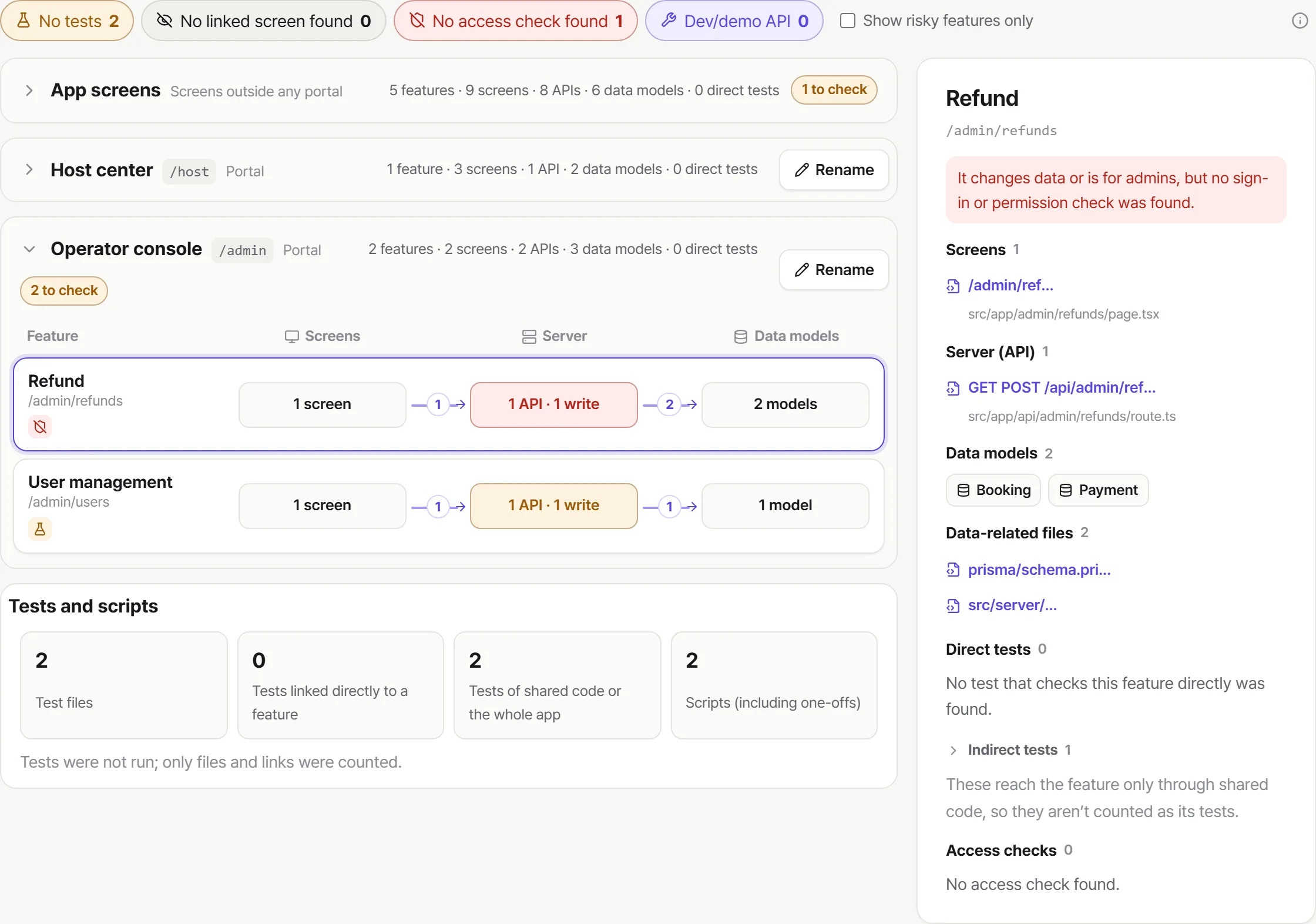
Ask an AI to “just make it work” and secret keys for payment or email services often end up written straight into the code. If the repository is ever public, anyone can use them.
Donevio finds keys and tokens with 34 patterns, shows you exactly where they are, and never sends those files to the AI.
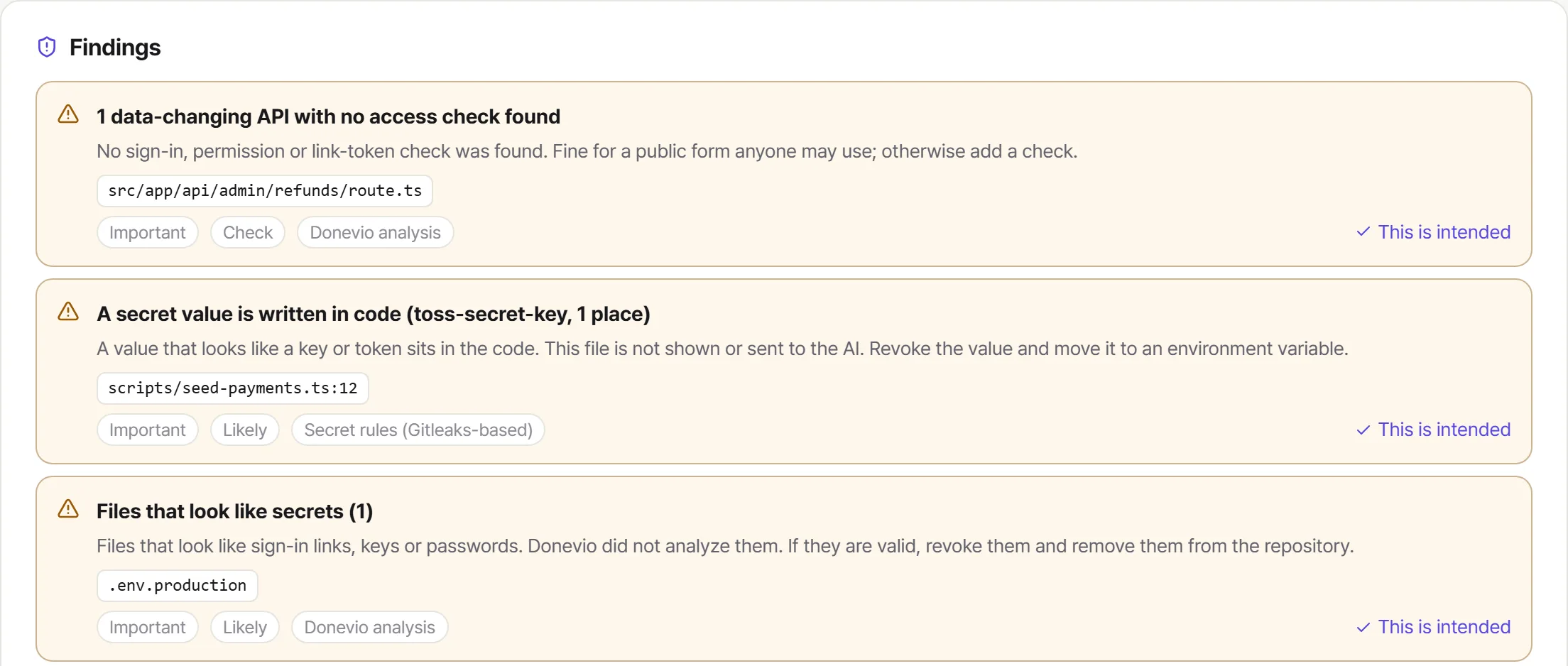
It’s hard to tell which file handles payments, or what you shouldn’t touch. That makes every change request a little nerve-racking.
Click any file to see what it does, which feature it belongs to, what it connects to and the code itself, explained in plain language.
And that’s not all
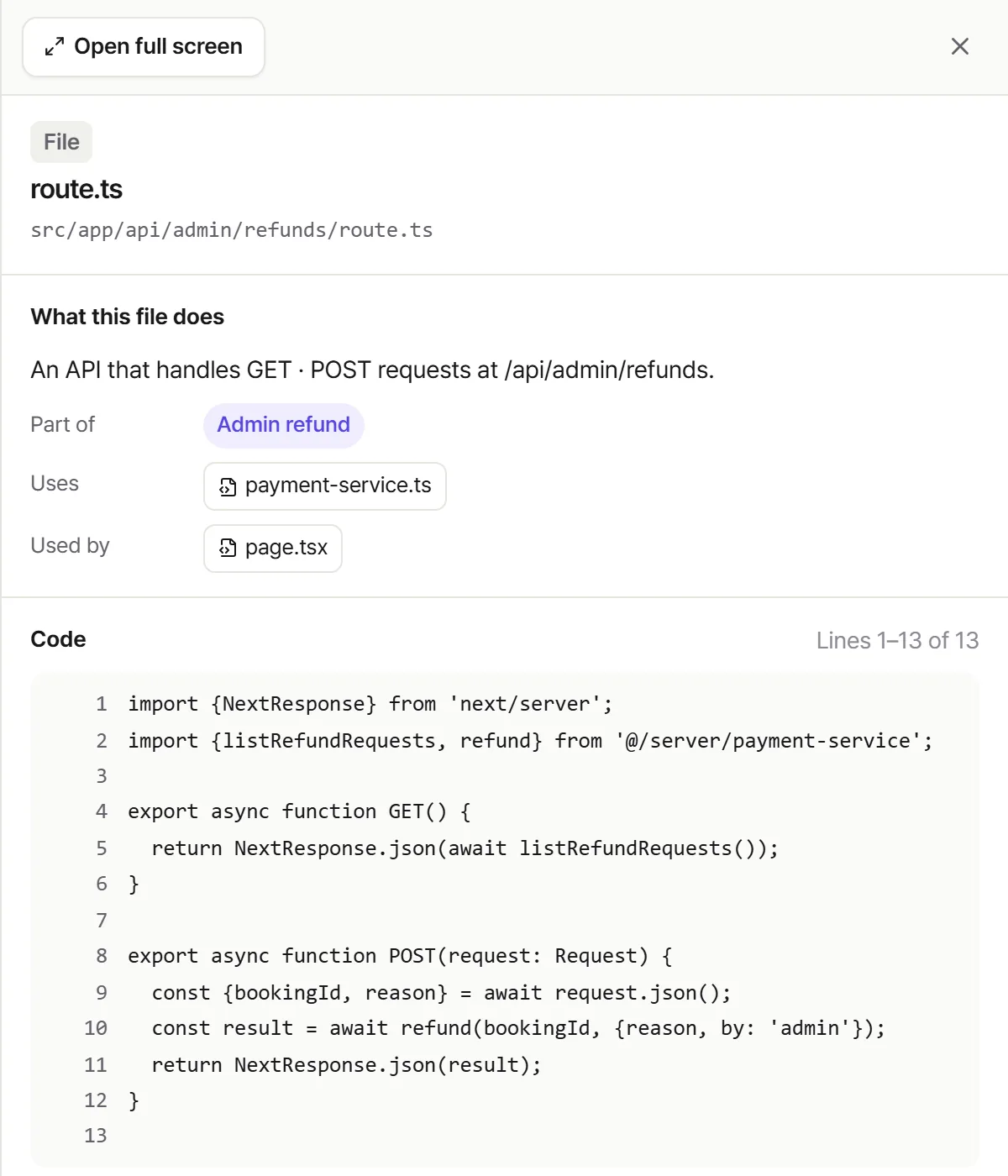
AI coding tools don’t only touch what you asked for. While “cleaning up” or “improving” things, they can delete approved features, change business rules or bring back bugs you already fixed. The build passes and the pages open, so you won’t notice until someone tries it.
Donevio compares every change with your approved spec and tells you first about missing features, changed rules and returning problems.
A bug you fixed comes back after another change.
Policies like refund windows or permissions shift without anyone noticing.
Screens or APIs get deleted because they looked unused.
No tests check payment, refund or payout math.
The same seat sells twice, or a payment goes through twice.
Libraries with known security issues stay in use.
Spreadsheets, databases or logs with personal data sit in the repo.
A check sees that a login cookie exists, never whether it’s real.
Real Donevio screens · fictional sample project data
The journey
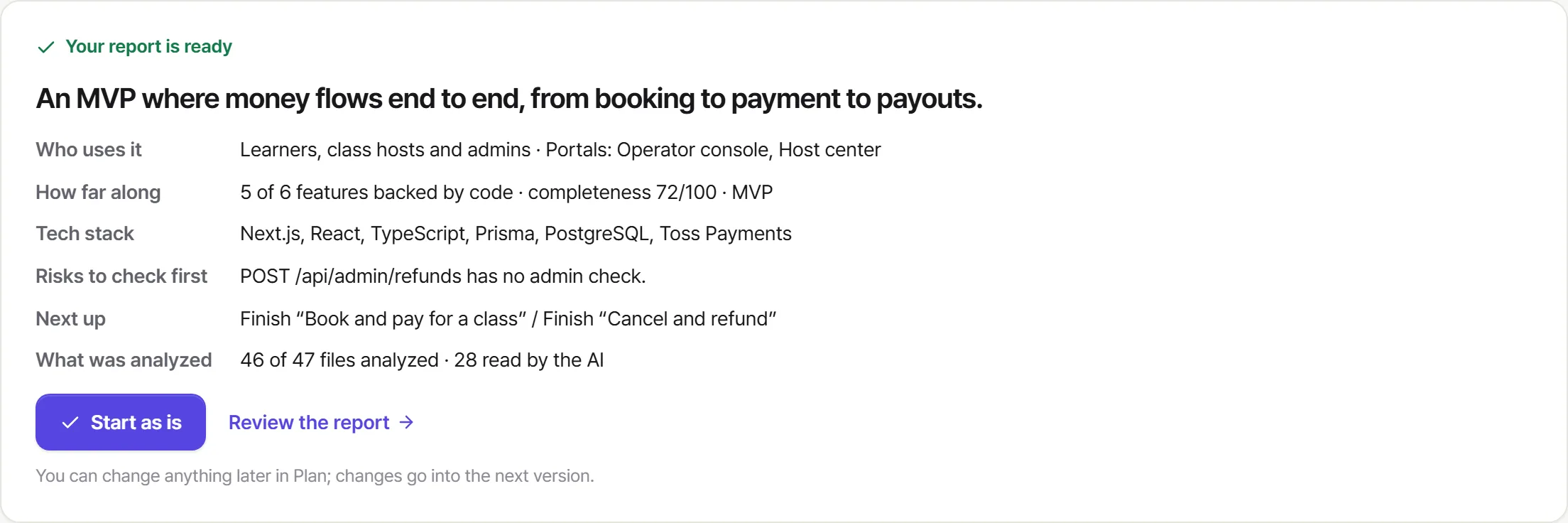
No checklist to work through. One analysis gives you a report and a first plan, and approving it makes version 1.
Link a GitHub repo and your code structure is mapped in seconds.
One click and the AI reads your code and writes the report. No questions along the way.
See what the product is, how far along it is and what’s risky, in brief or in full.
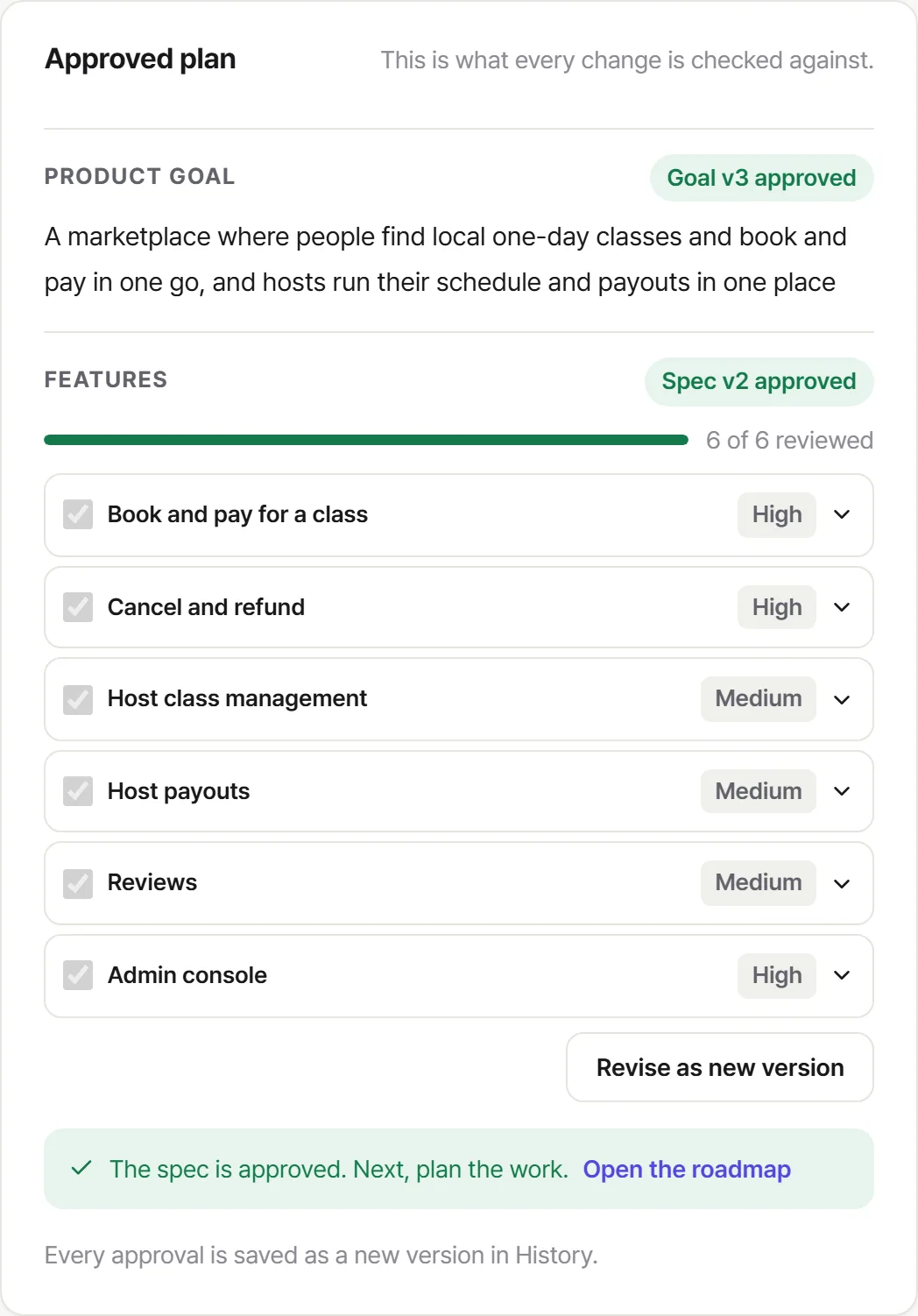
Drafts of your goal, feature specs and roadmap come with it. Change only what you need.
Press Lock in V1. Approve it, and that’s your version 1.
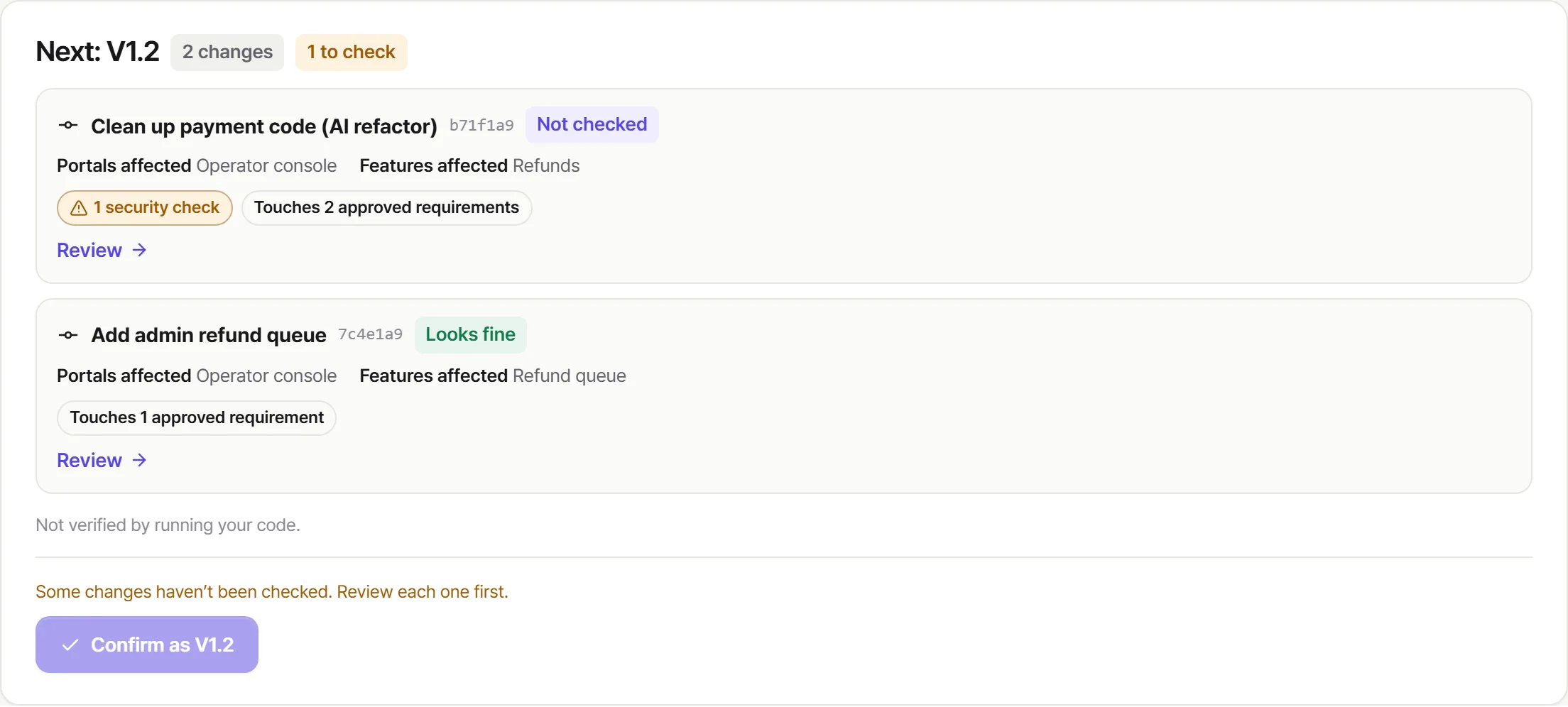
Pushes gather for the next version. Check them and confirm V1.1, V1.2 and on.
After launch
Launch isn’t the end. Features grow from user feedback, AI keeps editing your code and the people on the project change. Each time, someone has to check that what you agreed on still holds.
Changes after launch gather for the next version and are compared with the current one automatically.
New features become V1.1, V1.2. A new goal becomes V2. Earlier versions stay on record.
Each version records what changed, when, and who confirmed it.
New teammates and contractors pick up from the current version and the portal-by-portal structure.
For startups and teams
On a small team, what you agreed to build often lives only in conversations. Donevio ties those decisions to the code and makes them everyone’s reference point.
Goals, feature specs and roadmaps are versioned, so decisions from last week’s meeting don’t fade.
Donevio reads every PR and push first and points to what needs a look, so people can focus on the calls that matter.
Founders and PMs can see what works and what’s risky, in sentences, without reading code.
New hires and contractors get up to speed on an unfamiliar codebase with a feature map and plain explanations.
For developers
You don’t have to read every line your AI produces from scratch. Donevio maps the structure and surfaces the risky parts first.
Screens, APIs, data and call relationships, organized by feature.
Write APIs without access checks, secrets in code and packages with known advisories, all in one list.
Every explanation and answer links to a file and line so you can verify it in seconds.
Turn any finding into instructions you can paste straight into Claude Code or Cursor.

PR and push review
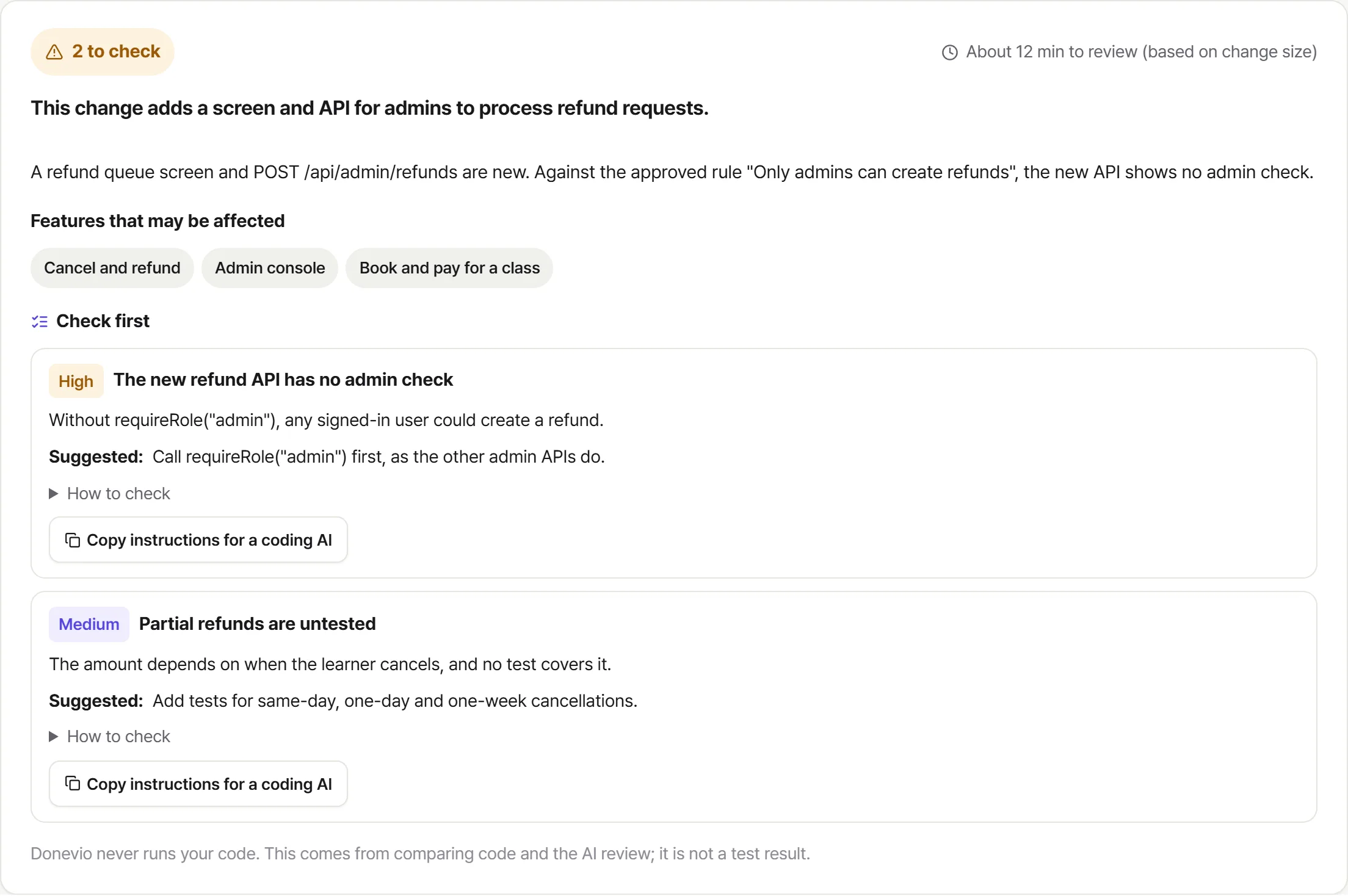
Donevio compares each change with your approved baseline: which features it touches, what drifts from the plan, and what to check first.
When a PR or push arrives, Donevio starts comparing it with your current version.
Donevio follows the changed files out to every connected feature.
You get findings ranked by severity, with instructions for your coding AI.
Free during the beta · no automatic charges. No card required.